

Step 01
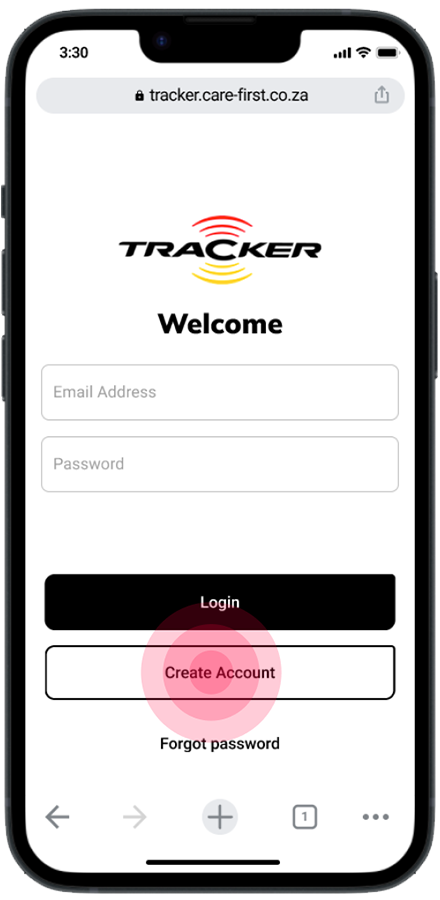
Once on the CareFirst website users click here to create account.
Step 02
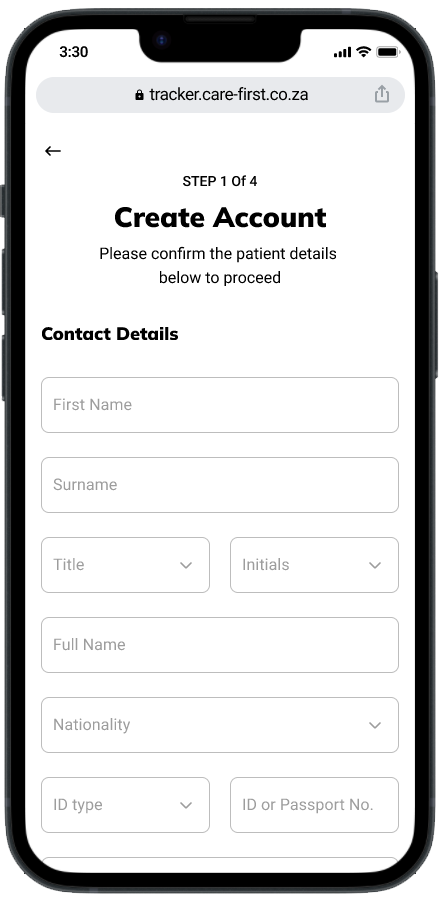
Users will then be directed to this form they will need to fill out their details to be loaded into the database.
Step 03
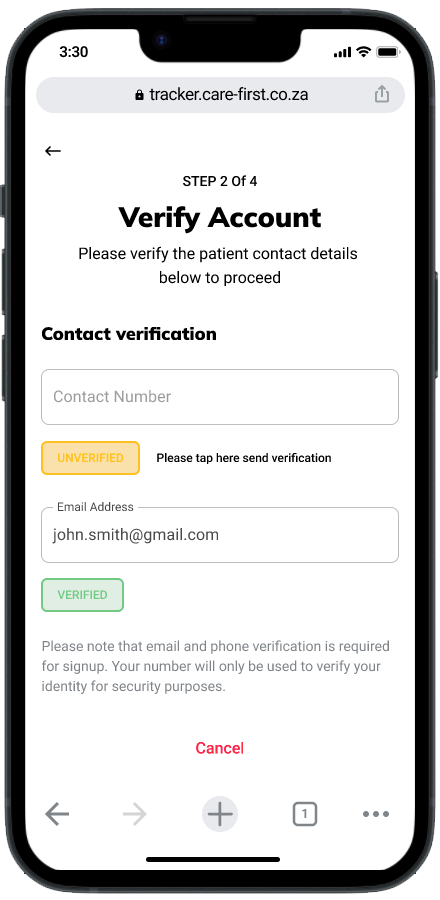
Next the users will be able to verify their account via email and phone number. In this case we are using phone number as an example.
Step 04
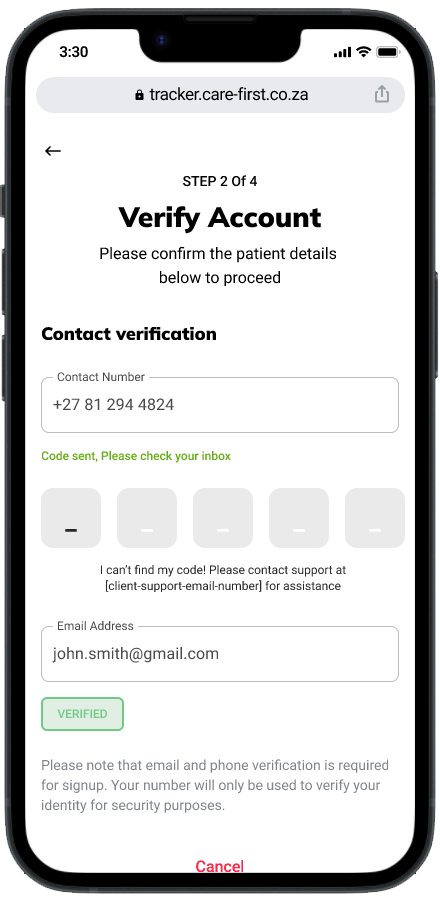
The user will enter the code received.
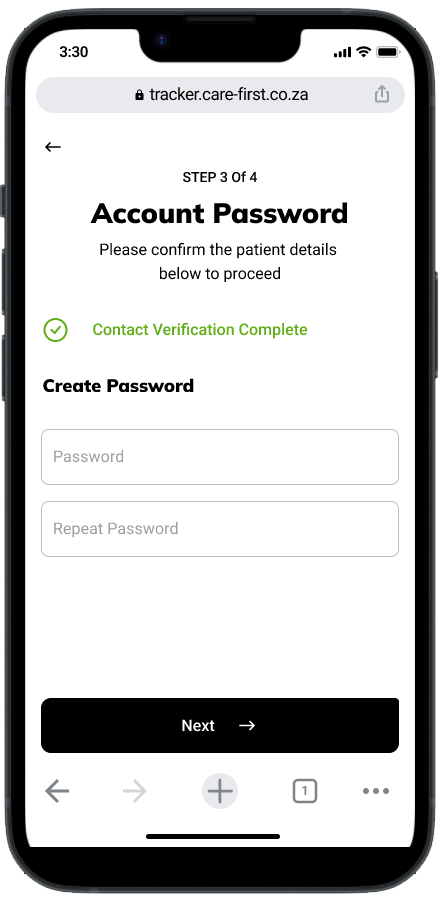
Step 05
Next the users will be able to verify their account via email and phone number. In this case we are using phone number as an example.
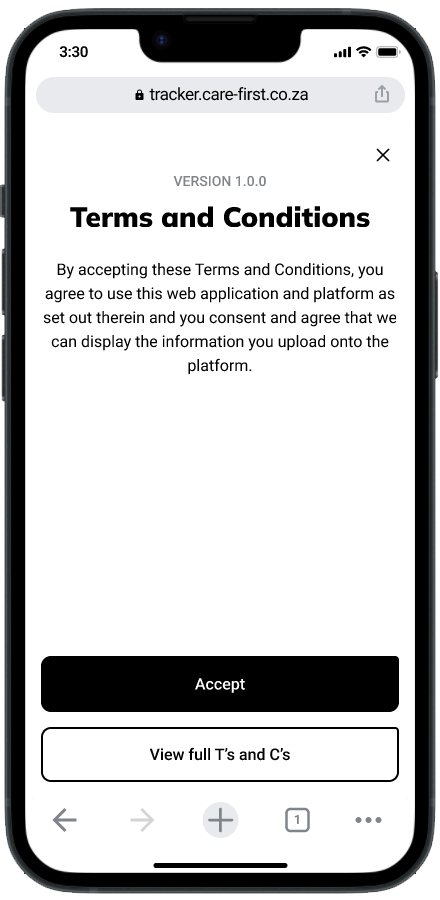
Step 06
The user will enter the code received.
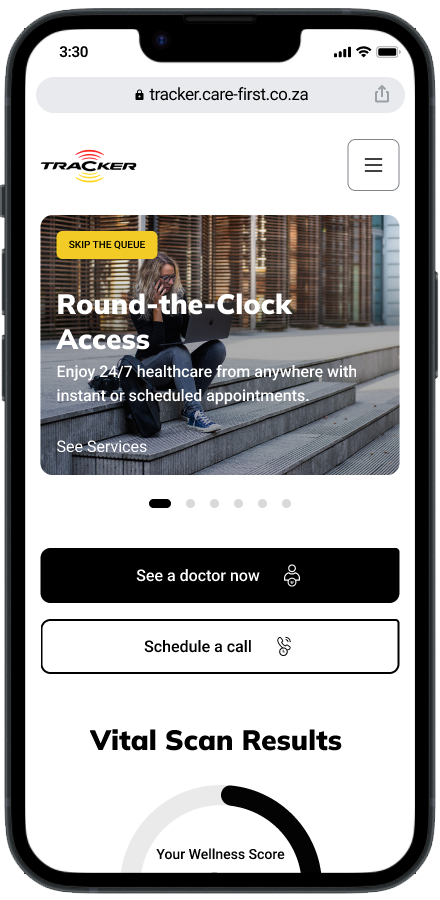
Step 07
Next the users will be able to verify their account via email and phone number. In this case we are using phone number as an example.
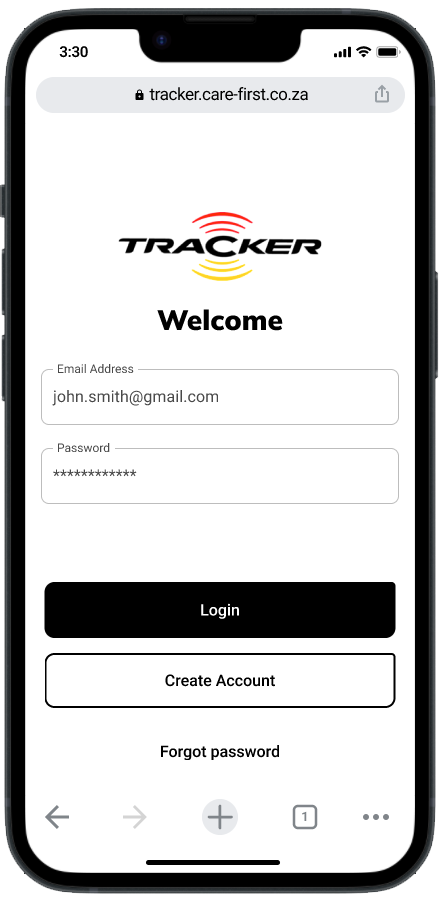
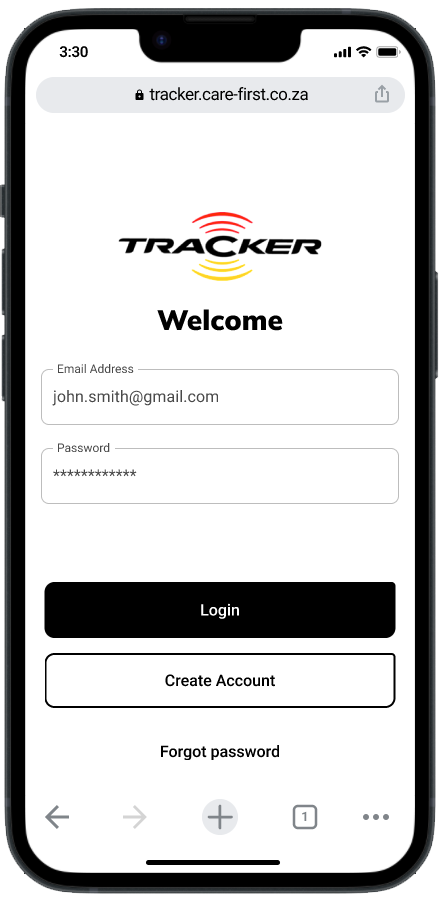
Step 01
Users will fill in their log in details and click on the log in button.
Step 02
The users will then be directed to the home page.
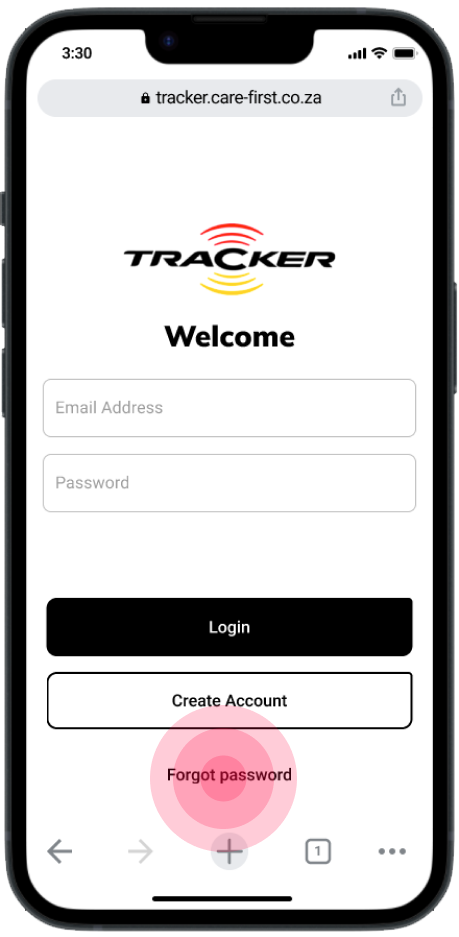
Step 01
If users have forgotten their password they will click forgot password.
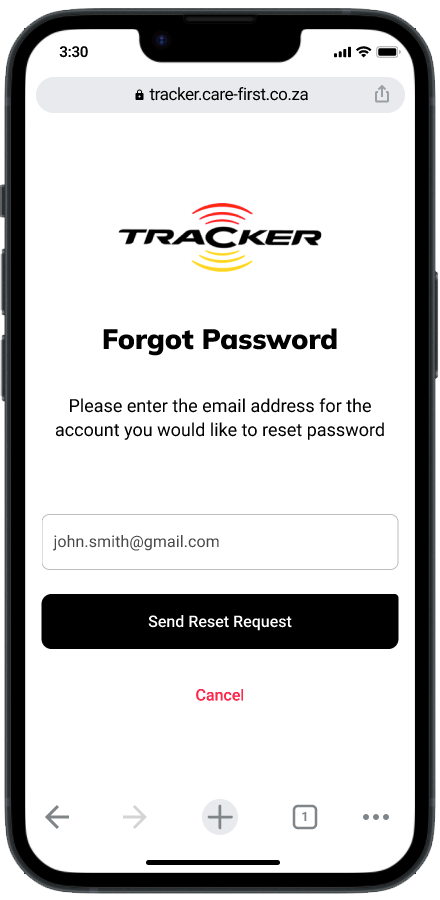
Step 02
The users will fill in their email address to request a reset.
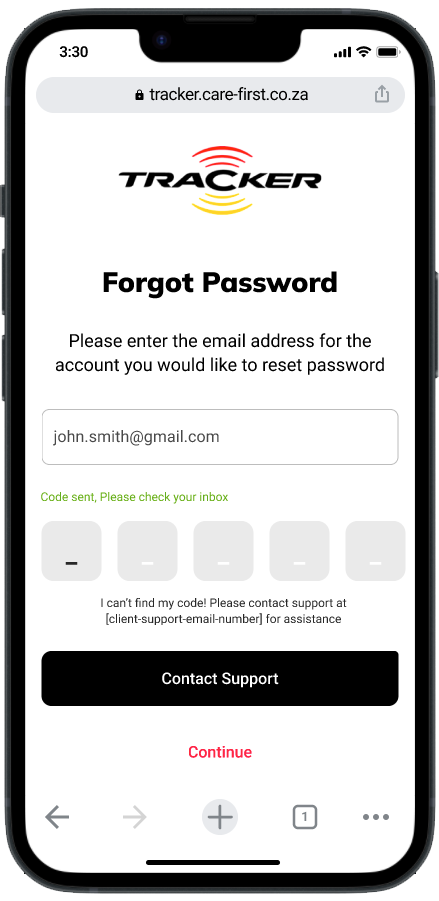
Step 03
Users will enter the code they have received to reset their password.
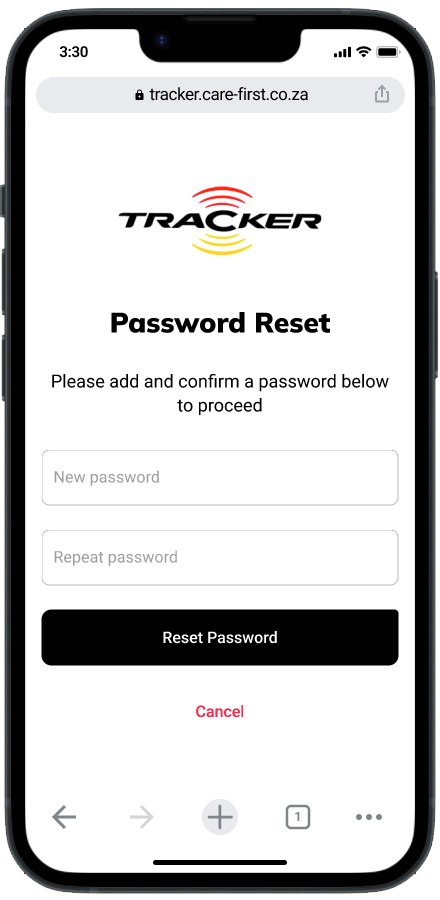
Step 04
Users will input a new password.
Step 05
The users will input Their email and new password.
Step 06
The users will then be directed to the home page.